
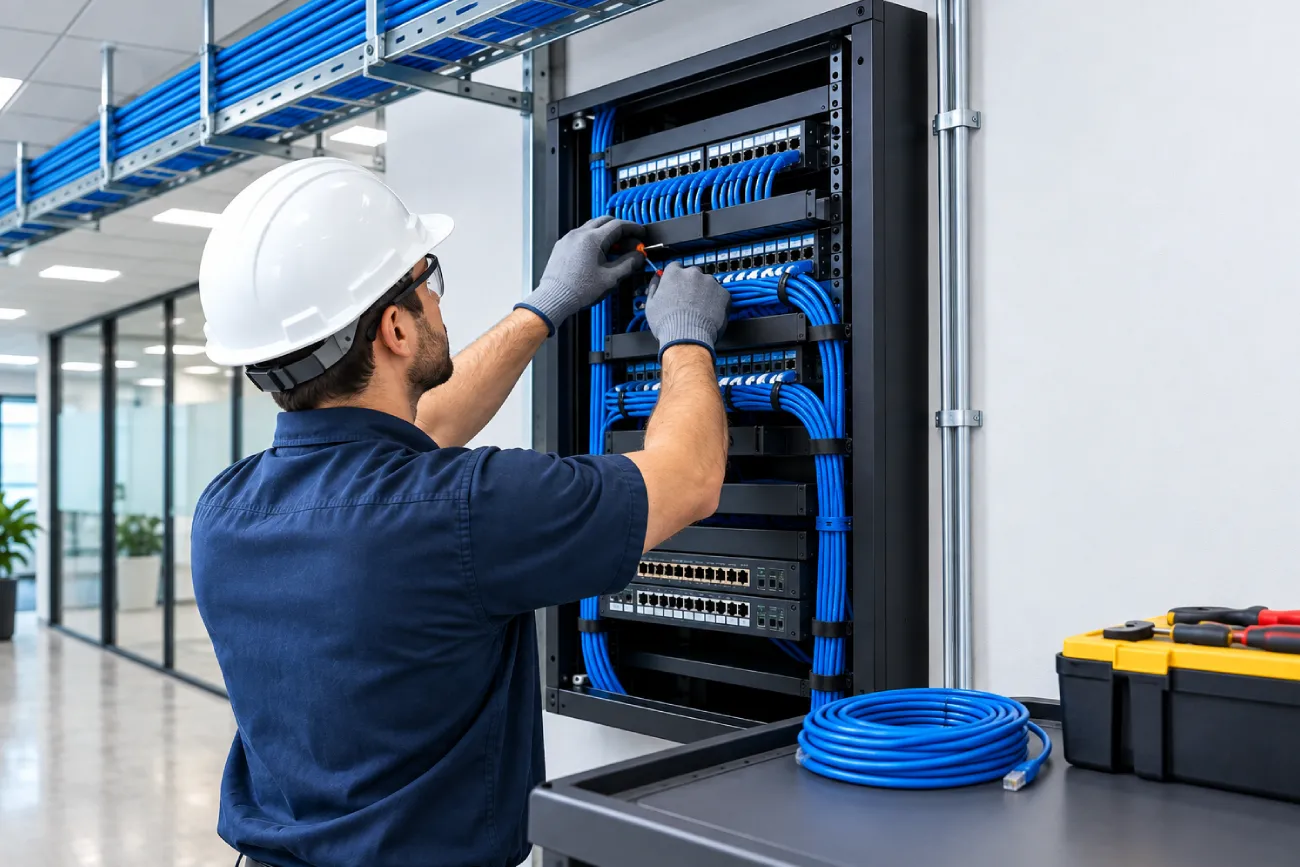
Modern commercial buildings depend on much more than electrical wiring. Security cameras, access control, data networks, Wi-Fi, phones, audiovisual equipment and building systems all rely on reliable low voltage infrastructure.
Choosing a professional security camera installation company in Canada can also be useful when low voltage work needs to support surveillance and other security systems. Proper planning helps ensure these systems have the cabling, connectivity, power and pathways they need.
This guide explains the main stages of commercial low voltage installation and what property owners, contractors and facility managers should consider before starting a project.
What Is Commercial Low Voltage Installation?
Commercial low voltage installation involves installing infrastructure that carries communication signals, data, control signals, or limited electrical power rather than traditional high-voltage building power.
Common systems include:
- Structured data and network cabling
- Security cameras
- Access control systems
- Telephone and VoIP systems
- Wi-Fi infrastructure
- Fiber optic networks
- Audio and video systems
- Building automation
- Intercom systems
- Low voltage alarm systems
These systems often share physical infrastructure within a building, so planning them together can prevent conflicts and unnecessary rework.
Step 1: Assess the Building and Requirements
The first step should be a site assessment.
Before installing anything, the installer should understand the building layout, current infrastructure, planned equipment and future requirements.
The assessment may review:
- Floor plans
- Equipment locations
- Network rooms
- Cable pathways
- Existing conduits and trays
- Ceiling spaces
- Security requirements
- Number of users and devices
- Future expansion plans
For an existing building, inspecting the current infrastructure can also reveal damaged cables, unused pathways, or installation problems that should be addressed.
Step 2: Create a Low Voltage Design
Once the requirements are understood, the installation can be designed.
A good design identifies where cables will run, where equipment will be installed and how different systems will connect.
Commercial projects may require separate or coordinated plans for:
- Data cabling
- Fiber backbones
- Security cameras
- Access control
- Wireless access points
- Audio/video systems
- Building automation
TIA’s TR-42 committee develops cabling standards covering commercial and industrial buildings, including cabling components, installation, field testing, pathways and spaces. Its work includes both copper and optical fiber infrastructure.
Step 3: Plan Cable Pathways
Cable pathways are easy to overlook, but they have a major impact on installation quality.
Depending on the building, pathways may include:
- Cable trays
- Conduits
- J-hooks
- Raceways
- Floor pathways
- Ceiling pathways
Pathways should provide enough capacity for current requirements while leaving reasonable room for future additions.
Poor pathway planning can make future upgrades difficult and may result in unnecessary disruption to finished areas.
Step 4: Select the Right Cabling
The cable type should match the system requirements.
For network infrastructure, this may include copper Ethernet cabling such as Cat6 or Cat6A and fiber optic cabling for longer distances or backbone connections.
The decision should consider:
- Required bandwidth
- Cable distance
- Device requirements
- Environmental conditions
- Future expansion
- Network architecture
- Installation standards
Using the same cable everywhere simply because it is available is not always the best approach. The infrastructure should be selected based on how the building will actually be used.
Step 5: Install the Cabling
Once pathways and materials are ready, technicians can begin routing the cables.
Professional installation should focus on clean and consistent cable management.
Important practices include:
- Avoiding unnecessary sharp bends
- Protecting cables from physical damage
- Keeping routes organized
- Maintaining appropriate separation where required
- Avoiding excessive pulling force
- Leaving suitable service loops
- Labeling cables during installation
Good workmanship at this stage can make testing, troubleshooting and future maintenance much easier.
Step 6: Terminate and Label Connections
After cables are routed, they need to be properly terminated.
For network cabling, this may involve patch panels, jacks, connectors and equipment racks.
Every cable should have a clear identification system that connects the field outlet to the appropriate patch panel or equipment location.
Without proper labelling, even a well-installed system can become difficult to maintain.
Step 7: Install Connected Systems
The cabling infrastructure can then support the devices and systems that depend on it.
For example, a commercial building may have:
- IP security cameras
- PoE switches
- Wireless access points
- Access control readers
- Door controllers
- Network equipment
- VoIP phones
- Digital displays
For security systems, device locations should be checked carefully to ensure the final installation provides useful coverage and reliable connectivity.
Step 8: Test the Installation
Testing should not be treated as an optional final step.
A professional low voltage installation company should verify that installed cabling and connected systems perform as expected.
Testing may include:
- Cable continuity
- Wire mapping
- Performance testing
- Fiber testing
- Network connectivity
- PoE operation
- Camera connectivity
- Access control communication
TIA’s cabling standards work specifically include installation and field-testing requirements, reinforcing the importance of verifying infrastructure after installation.
Step 9: Document the Infrastructure
Good documentation provides long-term value.
The final project documentation can include:
- Cable schedules
- Port assignments
- Equipment locations
- Network room layouts
- Camera locations
- Access control points
- Fiber routes
- Test results
- Cable labels
This information helps technicians locate equipment and troubleshoot problems without having to trace every cable manually.
Step 10: Plan for Future Expansion
Commercial technology changes quickly. A building that only needs basic networking today may later add more cameras, wireless access points, access control doors, smart building equipment, or other connected devices.
A good low voltage design considers future capacity where practical.
Planning may include providing additional pathway capacity, suitable rack space, spare network ports and organized cable management.
The goal is not to install unnecessary equipment. It is to avoid creating an infrastructure that becomes difficult to expand.
Common Mistakes to Avoid
Several problems can reduce the value of an otherwise good installation.
Installing Without a Proper Plan
Running cables first and figuring out the system later can lead to unnecessary cable runs and poor organisation.
Ignoring Cable Management
Overcrowded racks and tangled cables make maintenance harder and increase the chance of mistakes.
Skipping Testing
A cable that appears correctly installed may still have performance or termination problems.
Poor Labelling
Unlabelled cables create unnecessary work during future repairs and upgrades.
Planning Only for Today
A system designed without considering future devices can become expensive to expand later.
Low Voltage Installation in Halifax, Ottawa and Calgary
Commercial properties looking for low-voltage installation in Halifax, low-voltage installation in Ottawa, or low-voltage installation in Calgary should consider the complete infrastructure rather than treating each system as a separate project.
A qualified provider can coordinate cabling, security cameras, access control, networking and other low voltage systems according to the building’s requirements.
This can be especially useful for offices, warehouses, industrial facilities, schools, healthcare properties, hotels, retail locations and multi-tenant buildings.
How to Choose a Low Voltage Installation Company
Before hiring a contractor, ask how the project will be handled from planning through testing.
A reliable provider should be able to explain:
- What infrastructure will be installed
- Which cable types will be used
- How pathways will be planned
- How connections will be labeled
- What testing will be completed
- What documentation will be provided
- How future expansion can be supported
Clear communication is an important part of a successful project. Property owners should understand what is being installed and why.
Conclusion
A successful commercial low voltage installation starts with planning and continues through proper cabling, termination, testing, documentation and future expansion.
The goal is not simply to place cables inside a building. It is to create organized infrastructure that reliably supports the technologies a business depends on every day.
Whether you need network cabling, security cameras, access control, fiber, or other low voltage systems, AlfaDefence.io can help businesses plan and implement reliable low voltage infrastructure for commercial and industrial environments.
FAQs
- What does commercial low voltage installation include?
Commercial low voltage installation can include structured cabling, fiber optics, security cameras, access control, Wi-Fi infrastructure, VoIP, audiovisual systems, intercoms and building automation. The exact scope depends on the building and technology requirements. Proper planning, installation, testing, labeling and documentation are important parts of the overall project. - How much does low voltage installation cost for a commercial building?
Costs depend on building size, cable types, number of connections, pathway requirements, labor, equipment, testing and project complexity. Existing infrastructure can also affect pricing. A site assessment and detailed scope of work provide a more reliable estimate than using a standard price per cable or device. - Why is professional low voltage installation important?
Professional installation helps ensure cables are routed correctly, connections are properly terminated, systems are tested and infrastructure is documented. This can reduce troubleshooting problems and make future upgrades easier. Experienced installers can also coordinate multiple low voltage systems so they work properly within the building’s overall infrastructure. - Where can I get low voltage installation in Halifax, Ottawa, or Calgary?
Businesses can work with a qualified low voltage installation company serving their area. When comparing providers, ask about site assessment, design, cable selection, installation methods, testing, documentation and future support. A provider familiar with commercial environments can better account for building layout and operational requirements. - What cabling is commonly used for commercial low voltage systems?
Commercial installations may use copper Ethernet cabling, such as Cat6 or Cat6A, along with fiber optic cabling for backbone or longer-distance connections. The appropriate choice depends on bandwidth, distance, device requirements, environment and future plans. Cabling should be selected based on the actual application. - Does low voltage cabling need to be tested after installation?
Yes. Testing helps verify that installed cabling and connections meet the expected performance requirements. Depending on the project, testing may include copper certification, fiber testing, continuity, wire mapping and network connectivity checks. Proper test results can also provide useful documentation for future maintenance and troubleshooting. - Can low voltage infrastructure support future business expansion?
Yes, when future requirements are considered during the initial design. Additional pathway capacity, rack space, network ports and organized cable management can make future additions easier. Planning for expansion does not mean installing unnecessary equipment; it means creating infrastructure that can accommodate reasonable changes without major rework.