
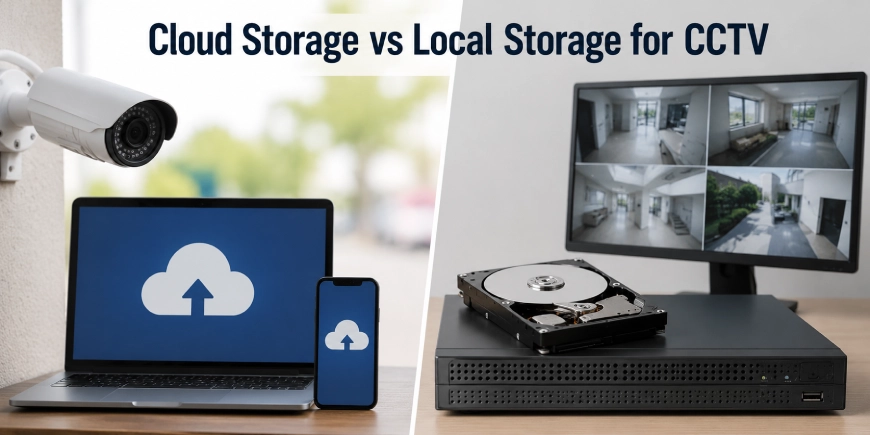
Choosing where CCTV footage is stored is just as important as choosing the cameras themselves. A security system may capture clear video, but its value depends on whether recordings are protected, easy to access and available when an incident occurs.
When comparing cloud storage vs local storage, businesses should consider more than monthly cost. Internet reliability, video retention, cybersecurity, recording capacity, remote access and recovery options can all affect the final decision.
A professional Security Camera Installation Company in Canada can assess the complete system, including camera placement, network capacity, recording requirements and storage options. This helps ensure that the storage method supports the property’s security goals rather than creating gaps in video coverage.
Cloud and local storage can both work well. The right option depends on the number of cameras, required recording time, available internet bandwidth, budget and level of control needed.
What Is Cloud Storage for CCTV?
Cloud CCTV storage sends video recordings over the internet to remote servers managed by a service provider.
Depending on the system, recordings may be stored continuously or only when motion, people, vehicles, or other events are detected.
Cloud storage may provide:
- Remote video access
- Automatic software updates
- Off-site recording
- Mobile monitoring
- Easy access across multiple locations
- Flexible storage plans
- Centralized camera management
Users can usually view live and recorded footage through a web browser or mobile application.
Cloud systems are commonly used by:
- Small businesses
- Retail stores
- Offices
- Multi-location companies
- Property managers
- Homeowners
What Is Local Storage for CCTV?
Local storage keeps video recordings at the property where the security cameras are installed.
Common local recording devices include
- Network Video Recorders (NVRs)
- Digital Video Recorders (DVRs)
- On-camera memory cards
- Dedicated storage servers
An NVR is generally used with IP cameras, while a DVR is commonly used with analog or coaxial camera systems.
Local recording can provide direct control over video data and may continue recording even when the internet connection is unavailable.
Cloud Storage vs Local Storage for CCTV: Key Differences
| Feature | Cloud Storage | Local Storage |
| Recording location | Remote data center | On-site device |
| Internet dependency | Usually required for upload | Not required for local recording |
| Remote access | Simple and widely available | Available with proper network setup |
| Initial equipment cost | Often lower | Usually higher |
| Ongoing cost | Monthly or annual subscription | Lower recurring cost |
| Storage expansion | Often flexible | May require larger drives or equipment |
| Data control | Shared with a service provider | Managed by the property owner |
| Internet outage | Upload may be interrupted | Recording can continue locally |
| Physical theft risk | Footage remains off-site | Recorder may be damaged or removed |
Cost Comparison
Cloud Storage Costs
Cloud storage often uses a subscription model. Pricing may depend on:
- Number of cameras
- Video resolution
- Recording duration
- Continuous or event-based recording
- Retention period
- Advanced analytics
The initial equipment cost may be lower, but subscription fees can increase the total cost over several years.
Local Storage Costs
Local storage usually requires a larger upfront investment for:
- NVR or DVR equipment
- Surveillance-grade hard drives
- Network equipment
- Installation
- Backup systems
After installation, recurring storage fees may be lower. However, hard drives can eventually require replacement.
When comparing costs, calculate the expected expense over three to five years instead of reviewing only the first-year price.
Internet Reliability and Recording
Internet reliability is an important consideration for cloud-based CCTV.
If the internet connection is slow or unavailable:
- Video uploads may be delayed
- Live remote viewing may be limited
- Cloud recording may be interrupted
- High-resolution video may use significant upload bandwidth
Some cloud-connected cameras include onboard storage that continues recording during an outage and uploads footage after the connection returns.
Local storage can continue recording without internet access because video is stored directly on-site. Internet access is mainly needed for remote monitoring.
For commercial properties with limited or unreliable connectivity, local recording may provide greater operational consistency.
Remote Access and Multi-Site Monitoring
Cloud storage is often convenient for remote monitoring.
Authorized users can view cameras from:
- Mobile phones
- Tablets
- Laptops
- Office computers
Cloud platforms may also simplify management across multiple properties. A business with offices in Halifax, Ottawa and Calgary may be able to monitor cameras through one centralized account.
Local systems can also provide remote access. However, they may require additional network configuration, secure remote connections and ongoing maintenance.
Remote access should be protected with strong passwords, multi-factor authentication where available and regular software updates.
The Canadian Centre for Cyber Security recommends using strong authentication, applying security updates and protecting connected systems from unauthorized access. (Canadian Centre for Cyber Security)
Data Security and Privacy
Both cloud and local CCTV storage require security controls.
Cloud Security Considerations
Ask the provider:
- Is video encrypted during transfer?
- Is footage encrypted while stored?
- Where is the data hosted?
- Who can access the recordings?
- Are audit logs available?
- Is multi-factor authentication supported?
- How long is footage retained?
Cloud providers may use dedicated security teams and large-scale infrastructure. However, the property owner must still manage user accounts and permissions carefully.
Local Storage Security Considerations
Local storage gives the organization more direct control over the recorder and video files.
However, the recorder should be protected from:
- Theft
- Fire
- Water damage
- Unauthorized access
- Power failures
- Hardware failure
A local NVR placed in an unsecured area may create a single point of failure. Restricted access, backup power and secure equipment locations can reduce this risk.
Video Quality and Bandwidth
High-resolution cameras produce larger video files.
A system using multiple 4K cameras may require:
- More upload bandwidth for cloud recording
- Larger local hard drives
- Higher network capacity
- More careful storage planning
Video settings also affect storage use:
- Resolution
- Frame rate
- Bitrate
- Compression method
- Continuous recording
- Motion-based recording
Motion or event-based recording can reduce storage requirements, but it may not capture all activity.
A professional security camera installation should include a storage calculation based on camera quantity, video quality, recording schedule and required retention period.
Reliability and Backup
Cloud storage keeps recordings away from the property. This can protect footage if an on-site recorder is stolen or damaged.
Local storage can continue recording during an internet outage, but it may be vulnerable to physical damage.
Many commercial properties use a hybrid approach:
- Local NVR recording for continuous video
- Cloud backup for important events
- Off-site storage for critical cameras
This can provide local reliability and off-site protection.
Scalability
Cloud storage can be easier to expand because additional capacity may be added through a subscription plan.
Local storage may require:
- Larger hard drives
- Additional recorders
- More storage servers
- Network upgrades
For a growing business, it is important to consider how many cameras may be added over the next several years.
Storage planning should include future expansion rather than only current camera requirements.
When Cloud Storage Is a Good Choice
Cloud CCTV storage may be suitable when:
- Remote access is a priority
- The business manages several locations
- The property has reliable internet
- Simple system management is important
- Off-site video protection is required
- The organization prefers predictable subscription costs
Cloud storage can be especially convenient for small businesses with limited on-site IT resources.
When Local Storage Is a Good Choice
Local CCTV storage may be suitable when:
- Continuous recording is required
- Internet service is unreliable
- Many high-resolution cameras are installed
- Long video retention is needed
- Direct control over recordings is important
- Ongoing subscription costs are a concern
Local NVR systems are commonly used in warehouses, industrial facilities, schools, hospitals and larger commercial properties.
When a Hybrid CCTV Storage System Makes Sense
A hybrid system combines local and cloud storage.
For example:
- Cameras record continuously to an on-site NVR.
- Important motion events are copied to cloud storage.
- Authorized users access live video remotely.
- Critical footage remains available if the local recorder is damaged.
A hybrid design may provide stronger resilience, but it requires compatible equipment and sufficient internet capacity.
How to Choose the Right CCTV Storage Method
Before selecting cloud or local storage, consider:
- How many cameras are installed?
- What resolution do the cameras use?
- How many days of video are required?
- Is continuous recording necessary?
- How reliable is the internet connection?
- Is remote access required?
- Are there monthly budget limits?
- Who will manage user access?
- Is off-site backup important?
- How much future expansion is expected?
A site assessment can identify the recording capacity and network requirements before equipment is selected.
Conclusion
Cloud storage and local storage both provide useful options for CCTV systems.
Cloud storage offers convenient remote access, off-site protection and flexible expansion. Local storage provides direct control, dependable recording during internet outages and lower recurring costs.
For many commercial properties, a hybrid system provides a practical balance between local reliability and cloud-based backup.
AlfaDefence.io provides professional security camera installation, CCTV system design, video storage planning, remote monitoring and integrated security solutions across Halifax, Ottawa, Calgary and Canada.
Frequently Asked Questions
- Is cloud storage better than local storage for CCTV?
Cloud storage is useful for remote access, off-site protection and flexible expansion. Local storage provides direct control and can continue recording during internet outages. The better option depends on camera quantity, internet reliability, video retention needs, budget and security requirements.
- Does cloud CCTV storage require an internet connection?
Cloud CCTV storage generally requires an internet connection to upload recordings and provide remote access. If the connection fails, cloud recording may be interrupted unless cameras have onboard storage. Local NVR or DVR recording can continue without internet access when the equipment remains powered.
- Is local CCTV storage more secure than cloud storage?
Local storage provides direct control over video files but requires protection from theft, damage, unauthorized access and hardware failure. Cloud storage keeps footage off-site and may include encryption. Security depends on system configuration, account protection, access controls and backup practices.
- How much CCTV storage do I need?
CCTV storage requirements depend on the number of cameras, video resolution, frame rate, bitrate, recording schedule and retention period. High-resolution cameras use more storage. A professional security camera installation can calculate the required capacity before selecting an NVR, cloud plan, or hybrid system.
- Can I access locally stored CCTV footage remotely?
Yes. Many NVR and DVR systems support secure remote access through mobile applications or web platforms. The recorder must be connected to a properly configured network. Strong passwords, software updates and multi-factor authentication should be used when available.
- Is cloud CCTV storage expensive?
Cloud CCTV storage usually involves monthly or annual subscription fees based on camera quantity, recording duration, resolution and retention time. It may have lower initial equipment costs but can become more expensive over several years. Comparing total ownership costs helps identify the better value.
- What is a hybrid CCTV storage system?
A hybrid CCTV storage system combines local recording with cloud storage. Cameras may record continuously to an on-site NVR while important events are backed up remotely. This approach can provide dependable local recording, off-site protection and convenient remote access.