
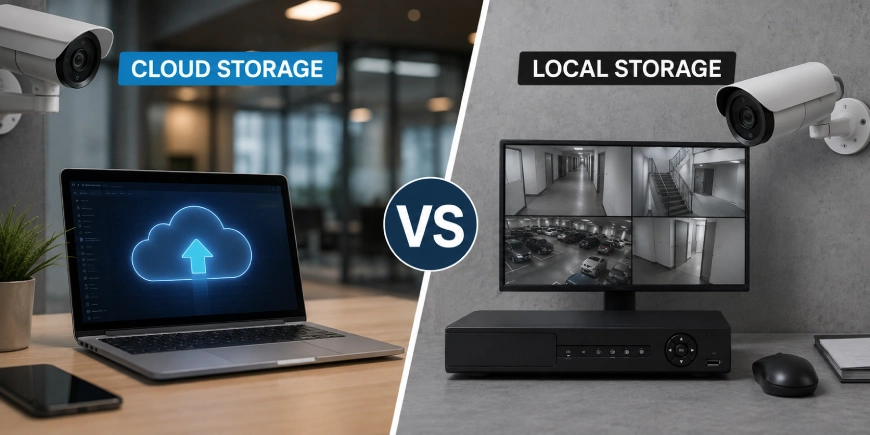
Choosing where to store your security camera footage is an important part of designing a surveillance system. Cloud storage vs. local storage is not simply a matter of choosing newer technology over traditional equipment. The right option depends on your site, budget, internet connection, security requirements and how long you need to keep recorded video.
For some businesses, cloud access makes monitoring easier. For others, a local NVR provides more control over footage and ongoing costs. A professional security camera installation company in Canada can help assess these factors before recommending a storage setup.
What Is Cloud Storage for Security Cameras?
With cloud storage, recorded security camera footage is sent over the internet to servers operated by a service provider. You can generally access live and recorded video through a web browser or mobile application.
This approach is useful for businesses that need to monitor several locations from a central point. It can also reduce the need to maintain recording hardware at every site.
However, cloud storage usually involves a recurring subscription. The amount of footage stored, retention period, number of cameras and available features can all affect the cost.
Advantages of Cloud Storage
- Remote access from computers and mobile devices
- Easier management of multiple locations
- Less on-site recording hardware
- Automatic service updates in many systems
- Convenient video sharing and retrieval
- Can simplify management for businesses without dedicated IT staff
Potential Drawbacks
- Recurring monthly or annual fees
- Dependence on a reliable internet connection
- Footage is stored outside the physical premises
- Vendor policies can affect retention and access
- Large amounts of high-resolution video may increase subscription costs
NIST notes that moving data and services to public cloud environments introduces security and privacy considerations that organisations should evaluate before using cloud services.
What Is Local Storage?
Local storage keeps security camera recordings at your property. A common setup uses an NVR (Network Video Recorder) connected to IP cameras. The recorder stores video on internal hard drives, allowing authorised users to review footage locally or remotely through the network.
This approach gives the property owner greater direct control over the recording equipment and stored footage.
Advantages of Local Storage
- No mandatory cloud storage subscription
- Direct control over recording hardware
- High-resolution footage can be stored on-site
- Recording can continue even if the internet connection goes down
- Storage capacity can often be expanded by upgrading drives
- Useful for facilities with substantial recording requirements
Potential Drawbacks
- Hardware requires maintenance
- The recorder can be damaged, stolen, or affected by a site incident
- Remote access requires proper network configuration
- Storage drives eventually need replacement
- Someone must manage backups and system health
Local storage should not be treated as automatically secure. CISA recommends backing up locally stored data to another storage device or a properly vetted cloud service to reduce the risk of permanent data loss.
Cloud Storage vs. Local Storage: Key Differences
| Factor | Cloud Storage | Local Storage |
| Initial hardware | Usually lower | Usually higher |
| Recurring cost | Subscription is common | Usually lower after installation |
| Remote access | Very convenient | Requires network configuration |
| Internet dependence | High | Recording can continue locally |
| Physical control | Lower | Higher |
| Maintenance | Often handled by provider | Property owner/installer |
| Scalability | Generally convenient | Requires additional hardware/storage |
| Data recovery | Depends on provider and plan | Depends on local backups |
| Multi-site management | Strong option | Can require additional infrastructure |
There is no universal winner. A small business with multiple locations may value centralised cloud access, while a warehouse with high-resolution cameras and long retention requirements may prefer a local NVR.
Which Storage Option Is More Secure?
Security depends more on system design and management than on whether footage is stored locally or in the cloud.
A poorly configured NVR can create security problems just as a poorly secured cloud account can. Strong passwords, multi-factor authentication where available, encryption, software updates, restricted user permissions and proper network segmentation all matter.
For surveillance systems connected to business networks, the camera, recorder, network equipment and storage platform should be considered together. NIST‘s storage security guidance includes areas such as authentication, authorisation, encryption, configuration management, data protection and recovery.
Which Is Better for Businesses?
The answer depends on the business environment.
Cloud storage may be a better fit when:
- Managers need frequent remote access.
- The company operates several locations.
- There is limited IT support on-site.
- Easy centralised management is important.
- Predictable service-based storage is preferred.
Local storage may be better when:
- Large amounts of video are recorded continuously.
- Long retention periods are required.
- Internet service is unreliable.
- The business wants direct control of its recording hardware.
- Avoiding recurring cloud fees is a priority.
A hybrid approach can also make sense. For example, a business could record primarily to an NVR while backing up important footage to cloud storage. This provides local recording with an additional layer of protection.
What Should You Consider Before Installation?
Before choosing storage, look beyond the camera itself. A professional security camera installer should consider:
- Number of cameras – More cameras generate more footage.
- Resolution – 4K video consumes considerably more storage than lower-resolution footage.
- Retention period – Decide whether footage is needed for 7, 30, 60, or more days.
- Recording schedule – Continuous recording requires more storage than motion-based recording.
- Internet reliability – Cloud systems depend heavily on network availability.
- Business requirements – Some facilities need tighter control over video access and retention.
- Future expansion – Leave enough capacity for additional cameras.
These decisions should be made during the design stage rather than after installation.
Cloud or Local: What About Halifax, Ottawa and Calgary?
The same basic principles apply whether you’re planning security camera installation in Halifax, security camera installation in Ottawa, or security camera installation in Calgary.
The important question is how the surveillance system will operate in the actual building. A retail location may prioritise easy remote access, while an industrial facility may prioritise local recording, storage capacity and network resilience.
A proper site assessment can identify camera requirements, network capacity, storage needs, retention periods and remote-access requirements before equipment is selected.
Final Verdict: Cloud Storage vs. Local Storage
When comparing cloud storage vs. local storage, neither option is automatically better for every property.
Cloud storage offers convenience, remote access and easier multi-site management. Local storage provides greater physical control and can be more economical for systems that generate large volumes of footage. For some organisations, combining both approaches provides the most practical balance.
The goal is not simply to store video. It is to make sure the right footage is available when it matters. AlfaDefence.io can help businesses plan security camera infrastructure around their operational needs, network environment, storage requirements and future expansion.
FAQs
- Is cloud storage better than local storage for security cameras?
Cloud storage is not automatically better than local storage. It is useful when remote access, centralized management and multiple locations are priorities. Local storage can be more suitable when businesses need greater control, high recording capacity, or reliable recording during internet interruptions.
- How much does local security camera storage cost?
The cost depends on the number of cameras, video resolution, recording schedule, retention period and hard-drive capacity. A professional security camera installation service can calculate the required storage before installation. Larger systems generally require more powerful NVR hardware and higher-capacity surveillance-rated drives.
- Can security cameras record locally without internet?
Yes. Many IP camera systems can record to an on-site NVR even when the internet connection is unavailable. However, remote viewing and cloud-based features may stop working during an outage. Network design should therefore consider both local recording and remote-access requirements.
- Is cloud storage secure for business security cameras?
Cloud storage can be secure when the service and account are properly protected. Businesses should evaluate encryption, authentication, access controls, retention policies, data location and provider security practices. NIST recommends assessing security and privacy risks when organisations use public cloud services.
- Should I use an NVR or cloud storage for CCTV?
An NVR is often a strong choice for businesses that need substantial local recording capacity and direct control over footage. Cloud storage may be more convenient for remote access and multi-site management. The best choice depends on camera count, retention requirements, network reliability and budget.
- Can I use both cloud and local security camera storage?
Yes. A hybrid system can record footage locally while sending selected footage or backups to cloud storage. This can provide convenient remote access while maintaining an on-site recording copy. It can also improve resilience when one storage location becomes unavailable or experiences a hardware failure.