
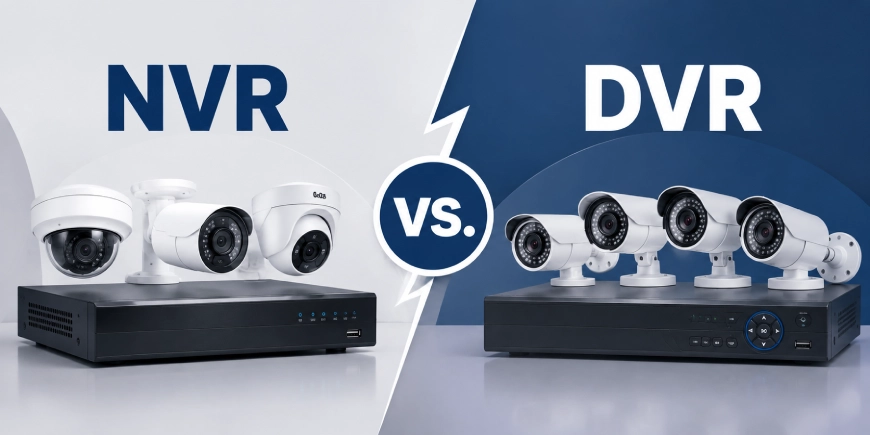
Choosing the right recording system is just as important as selecting the cameras themselves. A security camera may capture high-quality footage, but the recorder determines how video is received, processed, stored and accessed.
The NVR vs. DVR decision mainly depends on the type of cameras you use, the building’s existing cabling, your budget and whether you need advanced features such as remote monitoring, 4K recording, or AI video analytics. A professional Security Camera Installation Company in Canada can assess your property and recommend a recording system that supports both current security needs and future expansion.
NVR systems are generally used with IP security cameras, while DVR systems are designed for analog CCTV cameras. Both can provide reliable video surveillance when correctly installed and configured.
What Is an NVR?
NVR stands for Network Video Recorder. It is designed to receive and store digital video from IP cameras through a local network.
Unlike a DVR, an NVR usually does not process the raw video signal from the camera. IP cameras process and encode video internally before sending it through Ethernet cabling to the recorder.
An NVR system may support:
- High-definition and 4K security cameras
- Remote monitoring through mobile devices
- Motion detection alerts
- AI video analytics
- Smart surveillance features
- PoE cameras
- Access control integration
- Centralized management of multiple cameras
NVR systems are commonly used in commercial buildings, warehouses, schools, hospitals, industrial facilities, hotels and multi-location businesses.
What Is a DVR?
DVR stands for Digital Video Recorder. It is commonly used with analog CCTV cameras.
Analog cameras transmit video signals through coaxial cables to the DVR. The recorder processes, digitizes, compresses and stores the video.
A DVR system may be a practical choice when:
- Existing coaxial cabling is already installed
- The property has a smaller number of cameras
- The budget is limited
- Basic recording and monitoring are sufficient
- Advanced analytics are not required
Modern HD-over-coax systems can provide much better image quality than older analog security systems. For some properties, upgrading existing cameras while keeping the current cabling can reduce installation costs.
NVR vs. DVR: Key Differences
| Feature | NVR | DVR |
| Compatible cameras | IP security cameras | Analog CCTV cameras |
| Video transmission | Ethernet network | Coaxial cable |
| Video processing | Usually performed by the camera | Performed by the recorder |
| Image quality | Supports HD, 4K and higher resolutions | Supports standard and HD-over-coax video |
| Power options | PoE can provide power and data through one cable | Often requires separate power wiring |
| Remote monitoring | Flexible and feature-rich | Available on many modern systems |
| AI video analytics | Common on advanced systems | More limited |
| System expansion | Flexible with proper network planning | Limited by DVR channels |
| Initial cost | Often higher | Often lower |
| Best suited for | Scalable and advanced installations | Smaller or budget-focused systems |
Video Quality and Camera Compatibility
The type of camera is the main factor when choosing between an NVR and a DVR.
NVR and IP Security Cameras
IP cameras capture and process video digitally. They can support high-resolution footage, including 4K video, depending on the camera and recorder.
Higher resolution can help capture useful details around:
- Building entrances
- Parking areas
- Loading docks
- Cash handling locations
- Warehouse aisles
- Large outdoor spaces
However, higher resolution also increases storage and network requirements. A 4K camera may not be necessary for every location. Camera placement, lens selection, lighting and viewing distance should be considered before choosing resolution.
DVR and Analog CCTV Cameras
DVR systems use analog cameras connected through coaxial cable.
Modern HD-over-coax cameras can provide clear 1080p or higher-resolution footage. They can be suitable for properties that need dependable monitoring without advanced network-based features.
Existing cabling should be inspected before an upgrade. Older or damaged coaxial cables may affect video quality and system reliability.
Installation and Cabling Requirements
NVR Installation
NVR systems typically use Ethernet cables. PoE cameras can receive both power and data through one cable, which can simplify cable management.
A professional installation should review:
- Network bandwidth
- PoE switch capacity
- Cable distances
- Network security
- Equipment room conditions
- Backup power
- Future camera expansion
Structured cabling provides an organized foundation for larger video surveillance systems. Proper low voltage wiring can also improve system reliability and make future maintenance easier.
DVR Installation
DVR systems usually use coaxial cables for video transmission. Cameras may require separate power cables unless compatible combined cabling is used.
DVR installations may be simpler when a property already has functional coaxial infrastructure. This can reduce labour and material costs during an upgrade.
Remote Monitoring and Mobile Access
Both NVR and modern DVR systems can support remote monitoring through mobile applications or web-based platforms.
NVR systems often provide more flexibility because they are built around network-connected IP cameras. Users may be able to:
- View live video remotely
- Review recorded footage
- Receive motion alerts
- Manage user permissions
- Monitor multiple properties
- Access camera settings
Remote access should be configured securely. Strong passwords, unique user accounts, updated firmware and controlled network access are important.
The Cybersecurity and Infrastructure Security Agency recommends reducing unnecessary exposure of connected devices and applying appropriate security controls to networked systems. (CISA)
Storage Capacity and Recording Time
Both NVR and DVR systems store footage on internal hard drives. Storage requirements depend on:
- Number of cameras
- Video resolution
- Frame rate
- Recording schedule
- Compression method
- Motion-based recording
- Required retention period
For example, a system recording 16 high-resolution cameras continuously will require significantly more storage than a four-camera system using motion detection.
Cloud video storage can provide off-site access and additional redundancy. However, recurring costs, internet upload speed, privacy requirements and data retention policies should be reviewed before choosing cloud storage.
Smart Features and AI Video Analytics
NVR systems generally provide more advanced smart surveillance capabilities.
Depending on the equipment, AI video analytics may identify:
- People
- Vehicles
- Line-crossing events
- Restricted-area activity
- Unattended objects
- Unusual movement
These features can reduce unnecessary alerts by focusing on relevant activity rather than sending notifications for every motion event.
Analytics should be configured based on the property. Poor camera placement, difficult lighting, weather, or incorrect settings can reduce accuracy.
DVR systems may offer basic motion detection and alerts, but advanced analytics are less common and may depend on the specific recorder and camera combination.
Scalability and Future Expansion
NVR systems are often easier to expand when the network is designed correctly.
Additional IP cameras may be connected through available network ports or switches. This can be useful for businesses planning to add cameras as operations grow.
DVR systems are limited by the number of available channels. For example, an eight-channel DVR supports up to eight compatible cameras. Adding more cameras may require a larger recorder or a second system.
Before selecting a recorder, consider future requirements rather than only the number of cameras needed today.
Cost Comparison
DVR systems often have a lower initial cost. Existing coaxial cabling can make them especially cost-effective for smaller installations.
NVR systems may require additional investment in:
- Network switches
- PoE equipment
- Ethernet cabling
- Network configuration
- Higher-capacity storage
However, NVR systems may provide better long-term value through higher resolution, advanced analytics, flexible expansion and integration with other security technologies.
When comparing costs, consider the complete system rather than only the recorder price.
Important cost factors include:
- Camera quality
- Installation labour
- Cabling
- Storage capacity
- Software licensing
- Maintenance
- Future upgrades
- Cybersecurity requirements
NVR vs. DVR: Which Is Better for Your Property?
Choose an NVR If You Need:
- IP security cameras
- 4K video surveillance
- Advanced AI video analytics
- Flexible remote monitoring
- Mobile monitoring
- Easy system expansion
- Access control integration
- Multi-site security management
NVR systems are often suitable for commercial properties, industrial facilities, schools, hospitals, hotels, warehouses and large residential developments.
Choose a DVR If You Need:
- A lower initial investment
- Compatibility with existing analog cameras
- Reuse of coaxial cabling
- A smaller security camera system
- Straightforward recording and monitoring
DVR systems may be suitable for homes, small offices, retail stores and properties where advanced smart surveillance features are not required.
A Professional Site Assessment Helps Avoid Costly Mistakes
Choosing a recorder based only on price can create problems later.
A proper assessment should examine:
- Camera coverage requirements
- Existing cabling
- Network capacity
- Lighting conditions
- Storage needs
- Remote access requirements
- Future expansion
- Integration with access control
For businesses requiring Security Camera Installation in Halifax, Security Camera Installation in Ottawa, or Security Camera Installation in Calgary, local building conditions and existing infrastructure should be reviewed before finalizing the system design.
Conclusion
There is no single answer to whether an NVR or DVR is better. The right system depends on the cameras, property infrastructure, security goals, budget and future plans.
NVR systems are generally more flexible and better suited to IP cameras, high-resolution video, AI analytics and scalable security infrastructure. DVR systems remain a practical and cost-effective choice for properties using analog cameras or existing coaxial cabling.
AlfaDefence.io helps property owners and businesses evaluate video surveillance requirements and plan reliable security camera systems for projects across Halifax, Ottawa, Calgary and Canada.
Frequently Asked Questions
- What is the main difference between an NVR and a DVR?
An NVR works with IP security cameras and receives digital video through a network. A DVR works with analog CCTV cameras and processes video signals received through coaxial cables. The correct choice depends on camera technology, existing infrastructure, required features and future expansion plans.
- Is an NVR better than a DVR for 4K security cameras?
An NVR is generally the better option for 4K security cameras because IP systems are designed for high-resolution digital video. The network, recorder and storage drives must have enough capacity to manage 4K footage without affecting recording quality or system performance.
- Can I use analog cameras with an NVR?
Standard analog cameras cannot connect directly to an NVR because they use different video transmission methods. However, compatible video encoders or hybrid recording systems may support a transition. Equipment compatibility should be confirmed before upgrading an existing CCTV camera system.
- Does an NVR require an internet connection?
An NVR does not require internet access for local recording on a private network. Internet access is mainly needed for remote monitoring, mobile viewing, cloud video storage, software updates and off-site system management. Local recording can continue during an internet outage.
- Which system is easier to install: NVR or DVR?
DVR systems may be easier to install when a property already has usable coaxial cabling. NVR systems require network planning but PoE cameras can carry power and data through one Ethernet cable. Installation complexity depends on the building and system design.
- How much storage does an NVR or DVR need?
Storage depends on camera quantity, resolution, frame rate, recording schedule, compression and retention requirements. A system with multiple 4K cameras will require more storage than a smaller HD system. A storage calculation should be completed before selecting the recorder.
- Can NVR systems integrate with access control?
Many NVR-based video surveillance systems can integrate with access control platforms. This may connect camera footage with door events, credentials, alarms, or restricted-area activity. Integration can improve incident review and provide better visibility around entrances and secured locations.